

Nothing sours an attendee's impression of a conference faster than standing in a 45-minute registration queue. When thousands of delegates arrive within the same 30-minute window, traditional manual check-in desks simply cannot keep up.
Self-service badge printing kiosks have transformed event entry, reducing check-in times to under 10 seconds per person. However, not all badge printing systems are built for high-volume enterprise events. Here is what event planners must evaluate before choosing an onsite kiosk setup.
How does onsite badge printing work?
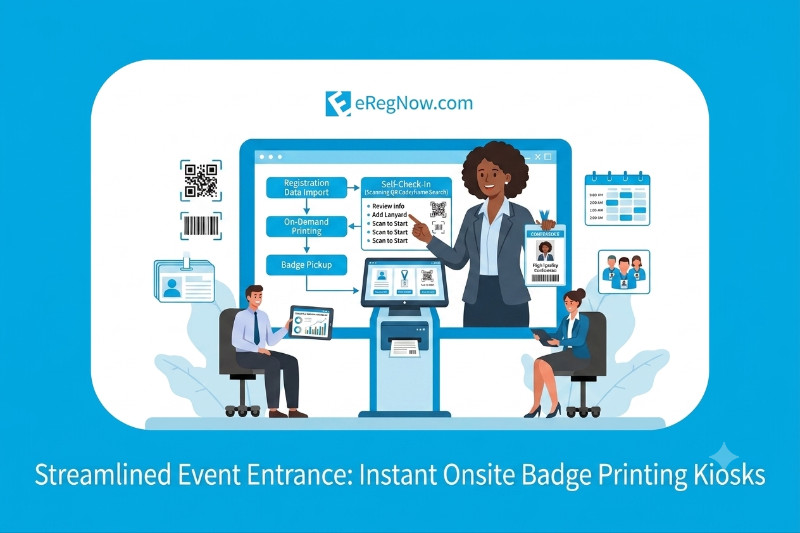
An attendee registers and receives a personalised QR code. At the venue, the code is scanned and a badge is printed from the registration details. Check-in activity feeds attendance reporting. Before the event, test the workflow with your badge layout and confirm how staff will handle walk-ins, missing codes and corrections.
1. Thermal Printing Speed vs. Color Quality
When selecting kiosk hardware, print technology directly impacts queue speed:
- Direct Thermal Printers: Print instantly in black and white without ink or toner. They are the fastest option available, processing badges in under 3 seconds per attendee.
- Color Inkjet Printers: Great for pre-printing custom badges, but slower for real-time printing on the floor.
Pro Tip: Use pre-printed color shells featuring your sponsors and event branding, then use thermal kiosks on-demand to print the attendee’s name, company, category, and QR code in seconds.
2. Offline Functionality and Local Network Redundancy
Venue Wi-Fi is notoriously unpredictable. If your badge printing system relies entirely on a live cloud connection, a minor internet drop can freeze your entire entrance hall.
Look for onsite registration kiosks that sync data locally onto an onsite server edge-node. This ensures badges continue printing smoothly even if the main internet connection drops completely, syncing back to the cloud automatically once connection restores.
3. Native QR Code Scanning & Mobile Wallet Integration
The check-in process should require zero manual typing by staff or attendees:
- Attendees receive a confirmation email with a unique QR code or Apple/Google Wallet pass prior to arrival.
- At the kiosk, the attendee holds their phone up to the scanner.
- The kiosk reads the code, prints the badge instantly, and flags their attendance in your CRM.
4. Session Access Control & Lead Retrieval Compatibility
A badge isn't just an entry pass—it's a tracking tool. Ensure the badges printed by your kiosks support embedded **NFC/RFID chips** or **scannable QR codes** so you can manage room capacity for breakout sessions, restrict access to VIP lounges, and provide exhibitors with seamless lead retrieval options.
The Bottom Line
Choosing the right onsite kiosk system comes down to speed, network reliability, and ease of use. Investing in self-service badge technology eliminates entry bottlenecks, protects sponsor visibility, and sets a professional tone from the moment delegates enter the building.