Planning a hybrid event means coordinating a programme for people at the venue and people joining online. Before choosing your technology, map both attendee journeys, decide who handles each stage and agree how the teams will share updates. Use this checklist to compare hybrid event solutions and prepare a focused demo.

List the information you need from delegates, speakers and exhibitors. Decide whether online and in-person attendees need different questions, confirmations or joining instructions. Check any payment requirements and how your team will handle changes to an attendee's details.
In your demo, follow a representative registration from the form through to the confirmation. Bring examples of the attendee categories and questions your event needs, so you can see how the proposed setup handles them.
Confirm which sessions each audience can access. Set a process for updating session times, speaker details and joining information. Name the person responsible for approving changes and the team responsible for publishing them.
During your rehearsal, change a session time and check what attendees will see on the event website. Agree how urgent updates will reach people who are already at the venue and those joining online.
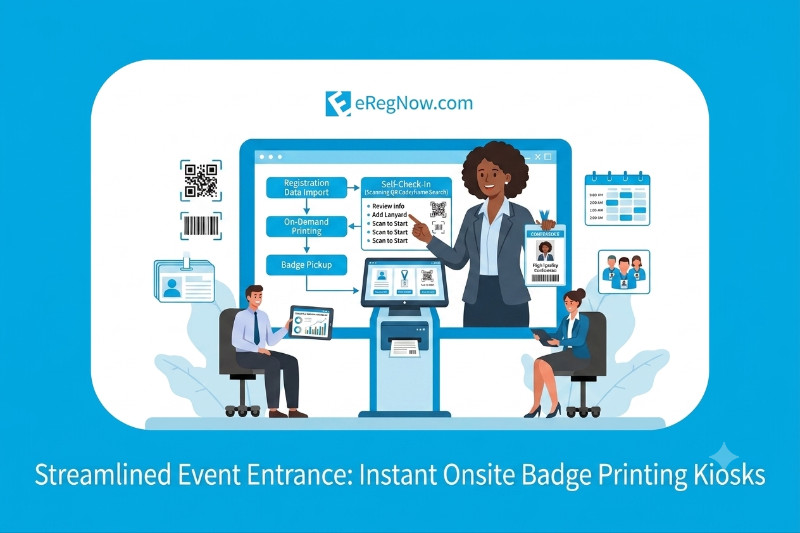
Plan how registered attendees, walk-ins and people with missing QR codes will be helped. Test the registration record, QR scan and printed badge together. Agree how staff will correct details and record attendance.
Estimate the busiest arrival period and discuss counters, staff, equipment and badge supplies with your provider. Review our onsite check-in and badge printing options, then use the badge-printing kiosk guide to prepare questions for your venue setup.
Choose the online experiences your programme needs, such as live sessions, polls and Q&A. Confirm the scope with your provider, including access instructions, speaker rehearsals and support during the event.
Test the proposed experience from an attendee's device. Check the joining instructions, session access and route to help. If you need recordings, captions or other accessibility arrangements, include these in the requirements and confirm what is available before committing to the setup.
Bring the organiser, venue and technology teams together before event day. Confirm the network requirements, equipment, staffing and fallback arrangements. Ask what happens if connectivity is interrupted, who will respond and how records will be reconciled afterwards.
Include these scenarios in the rehearsal rather than assuming a platform or device works offline. Keep a shared contact list and agree who can make operational decisions during the event.
Decide which reports your team needs before selecting the setup. These may include registrations, venue check-ins and networking activity. Check which information is collected, which teams can access it and what exports are required after the event.
Ask to see a sample report in the demo. Confirm how attendance is recorded for each audience and whether the proposed reports answer the questions your organiser, sponsors and exhibitors need to resolve.
eRegNow's hybrid event platform brings together registration, branded event websites and WebApps, programme schedules, onsite check-in and attendee communications. Explore our hybrid event solutions, or request a demo with your event format, dates, expected attendance and required workflows.